Display weather on the dashboard
You can display the weather related to your location on the dashboard.
Prerequisites
- You must have previously configured the OpenWeather service to display the weather in Gladys Assistant.
- You must have configured your home in the settings, and have placed your home on the map, so that OpenWeatherMap knows the latitude and longitude of your home.
Configuration
Go to the dashboard, then click "Edit".
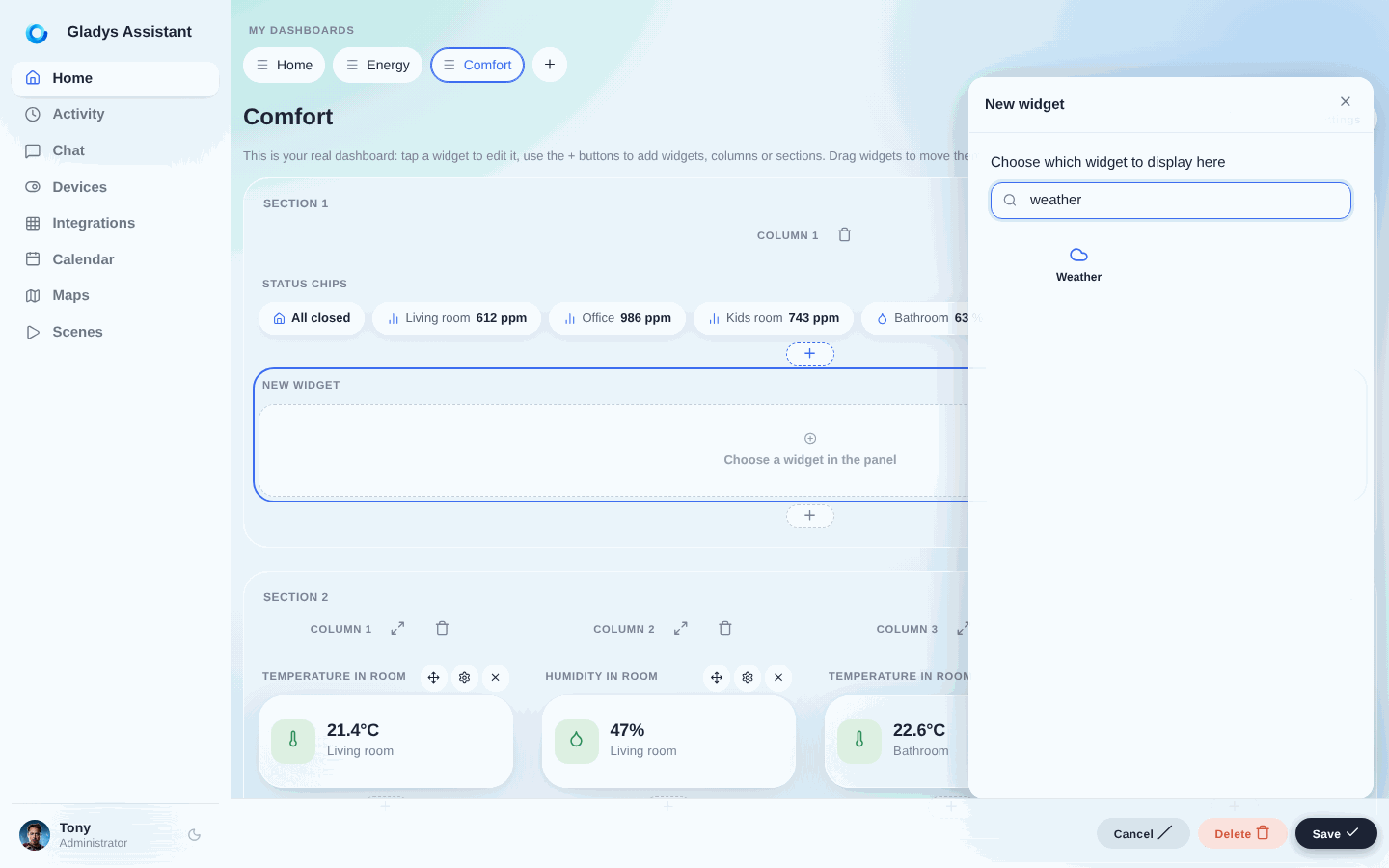
Add a "Weather" widget:
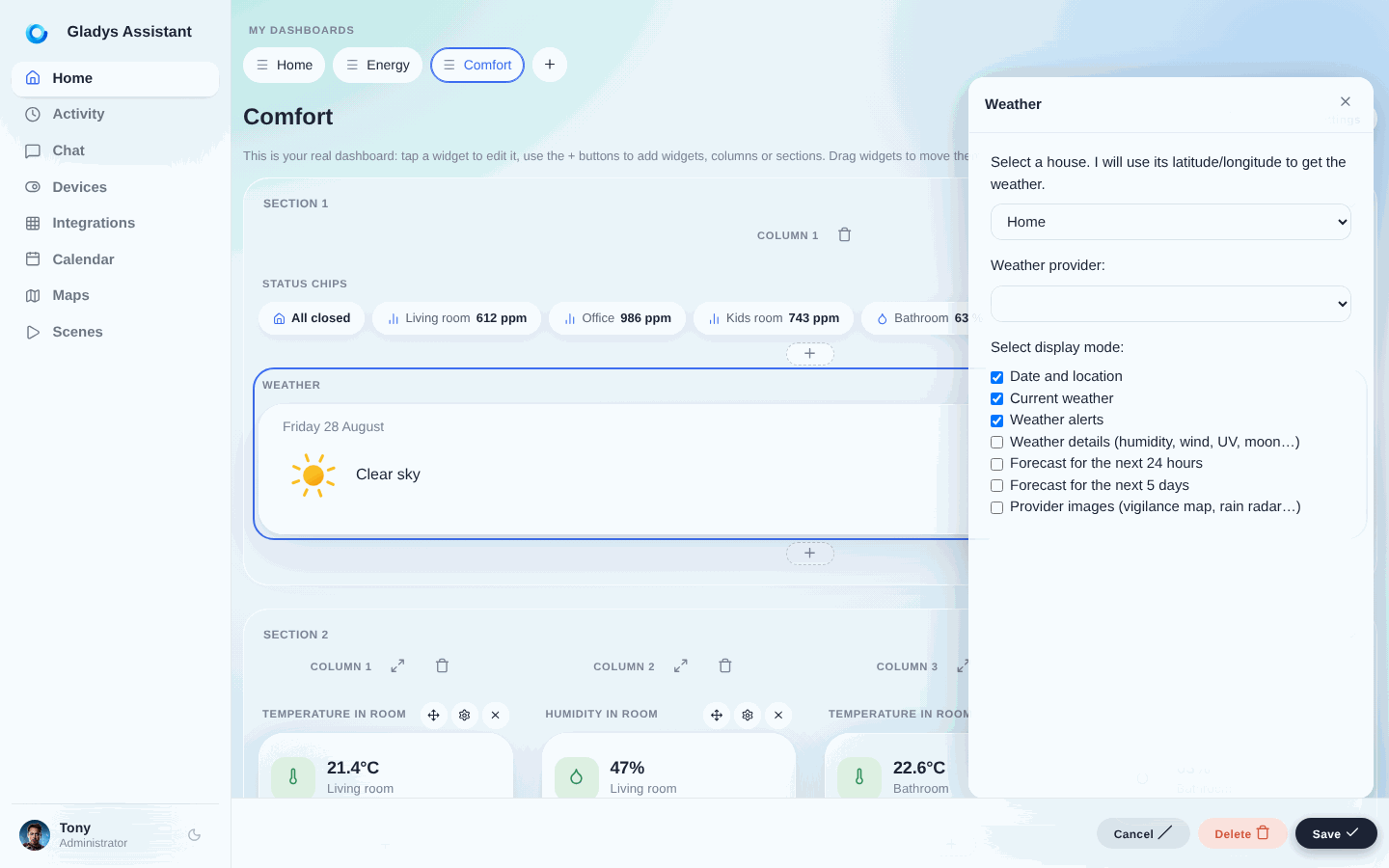
Next, select your home and display options:
Click "Save".
You should see the weather!
