ISS Overhead smart home integration, free and open source
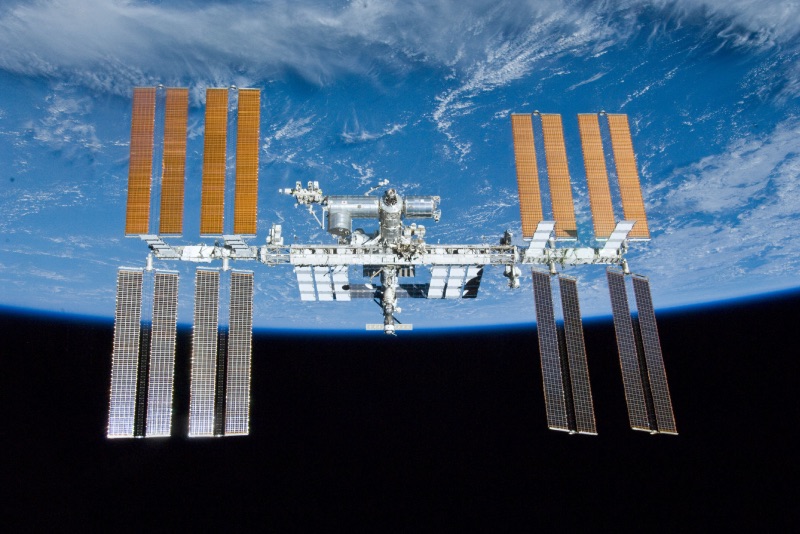
Predicts visible ISS passes over your house and can trigger a scene when one starts.
Published by cicoub13
- Devices
- Version 0.3.1
- Requires Gladys >=5.1.0
- ★ 0
Requires Gladys 5.1 or later. The dashboard widget and the scene trigger/action this integration is made of ship with Gladys 5.1; on an earlier version the integration cannot be installed.
Predicts the next visible passes of the International Space Station over your house, shows them on a dashboard widget, and can trigger a scene right before one starts — perfect for "go look outside" automations.
What it shows
The ISS Passes widget displays:
- a photo of the station, and how long until the next visible pass, with its maximum elevation;
- the next few passes, with their time, duration and the direction the ISS rises from (local time, in the language of your Gladys);
- whether the ISS is visible tonight, and whether the orbital data used to compute passes is fresh.
A pass is only shown as visible when the ISS is above the horizon, your house is in the dark, and the ISS itself is still lit by the sun — the same conditions that make it a bright, fast-moving "star" in the evening or early-morning sky.
Automations
- Trigger: "ISS pass starting" — fires shortly before a visible pass begins. Optionally filter by the direction it rises from. Use it to turn on a "look up!" notification, or to switch off outdoor lights that would spoil the view.
- Action: "Get next ISS pass" — fetches the next predicted pass on demand, for scenes that want to announce it (e.g. a voice message) rather than react to it.
Both expose the pass as variables. For a message, prefer the ready-to-read
ones, written in the Scene language of the configuration and in your
local time: start_date (e.g. "Monday, September 28"), start_hour
(e.g. "07:49 PM") and direction_name (e.g. "west"). direction (compass
code, e.g. "W") stays available for scenes that compare it. For example "The ISS passes on start_date at start_hour,
rising in the direction_name." gives "The ISS passes on Monday, September 28
at 07:49 PM, rising in the west.", for a notification as well as a voice
message.
Configuration
| Key | Default | Description |
|---|---|---|
| Minimum elevation | 10° | Passes that never rise above this angle are ignored. |
| Prediction window | 5 days | How far ahead passes are predicted (3, 5 or 7 days). |
| Scene lead time | 5 minutes | How long before a pass starts the "ISS pass starting" trigger fires (≤60). |
| Scene language | French | Language of the date, time and direction handed to scenes. |
The integration needs your house's location, granted automatically when you install it (no address to type in).
No API key needed
Orbital data (TLE) is fetched from Celestrak, a free public source — nothing to sign up for.
Configuration settings
These are the settings ISS Overhead asks for in its configuration screen in Gladys.
| Setting | Type | Required | Description |
|---|---|---|---|
| Minimum elevation (°) | number | No | Passes rising below this elevation angle are ignored. |
| Prediction window | select | No | How many days ahead to predict passes for. |
| Scene lead time (minutes) | number | No | How long before a pass starts the "ISS pass starting" trigger fires. |
| Scene language | select | No | Language of the date, time and direction handed to your scenes (notifications, voice messages). |
How to install ISS Overhead in Gladys
- In Gladys, open Integrations: ISS Overhead appears in the catalog, next to the native integrations, with a community badge.
- Click Install. Gladys pulls the Docker image (
ghcr.io/cicoub13/gladys-iss:0.3.1), starts it in a sandbox isolated from the core, and generates the integration's interface (devices, discovery and configuration). - Open the Configuration screen of the integration, fill in the settings, and save.
- You can also install it directly from its repository URL: https://github.com/cicoub13/gladys-iss.
ISS Overhead requires Gladys >=5.1.0. The catalog inside Gladys refreshes every hour, so a new version becomes available at most one hour after its release.
Not running Gladys yet? It is free and open source: follow the installation guide to get started.
About external integrations
ISS Overhead is an external integration: a community integration packaged as a Docker container and published on GitHub, that Gladys installs in one click and runs in a sandbox isolated from its core. It is published and maintained by cicoub13, not by the Gladys core team.
- Browse all external integrations
- Discover the native integrations built into Gladys
- Build and publish your own external integration
- Source code on GitHub — source of this documentation